
Home / Status board
Every EastGoBuy order label on one board
Thirty-four labels from the English interface, the Chinese string each one was translated from, and a one-line reading. Click through to the stage page for the full "what next".
The board, in the order your goods meet it
Read top to bottom and you follow a single item from checkout to your door. A yellow chip means the English wording points the wrong way, so trust the short reading next to it instead.
| Label | Chinese source | Short reading | Stage page |
|---|---|---|---|
| To be paid | 待支付 | Created, not paid | Ordering |
| Order under review | 订单审核中 | Pre-purchase check running | Ordering |
| Review rejected | 审核拒绝 | Failed the pre-purchase check | Ordering |
| To be purchased | 待采购 | Paid, queued for buying | Ordering |
| In procurement | 采购中 | Being bought from the seller | Ordering |
| Pending Additional Payment | 待补款 | Top-up needed before buying | Ordering |
| Purchase completed, waiting for product shipment | 采购完成,等待商品发货 | Bought, seller not shipped | Ordering |
| The seller has shipped the goods. | 商家已发货 | On its way to the warehouse | Ordering |
| Cancelled | 已取消 | Closed, refund follows | Ordering |
| Warehouse awaiting receipt | 仓库待收货 | Expected, not scanned in | Warehouse arrival |
| Booked Packages | 未入库包裹 | Expected parcels list | Warehouse arrival |
| Stored | 已入库 | In the warehouse, clock running | Warehouse arrival |
| Overdue | 已超期 | Past free storage | Warehouse arrival |
| Outbound Restriction | 限制出仓 | Held, cannot ship yet | Warehouse arrival |
| Inbound Photos | 入库照片 | Arrival pictures ready | Warehouse photos |
| Quality inspected | 已质检 | Basic check finished | Warehouse photos |
| Customized photography | 定制拍照 | Paid extra photos | Warehouse photos |
| Problematic products | 问题商品 | Item flagged at arrival | Warehouse photos |
| Apply for package consolidation | 申请打包合箱 | Start a parcel | Packing and consolidation |
| Submitted package | 已提交包裹 | Packing request in | Packing and consolidation |
| To be packed | 待打包 | Queued for packing | Packing and consolidation |
| Package collected | 待集包 | Waiting to be bundled | Packing and consolidation |
| Pending weighing | 待称重 | Not weighed yet | Packing and consolidation |
| Packed | 已打包 | Packed and measured | Packing and consolidation |
| Freight Shortfall | 运费补差 | Postage top-up | Packing and consolidation |
| Pay international charges | 支付国际费用 | Second payment due | Postage |
| Waiting for warehouse delivery | 等待仓库发货 | Paid, queued to leave | Postage |
| Consolidation/Transportation in progress | 集运/运输中 | In transit abroad | Delivery and after-sales |
| Delivered | 已发货 | Shipped out, not received | Delivery and after-sales |
| To be signed | 待签收 | Awaiting your signature | Delivery and after-sales |
| Checked | 已签收 | Signed for | Delivery and after-sales |
| Completed | 已完成 | Closed | Delivery and after-sales |
| Apply for after-sales service | 申请售后 | Raise a problem | Delivery and after-sales |
| Refund successfully | 退款成功 | Refund paid out | Delivery and after-sales |
Labels whose English points the wrong way
The English interface was translated from Chinese, and a few strings drifted. "Delivered" sits on parcels that have only left the warehouse. "Checked" means a parcel was signed for, not inspected. "Package collected" means items are waiting to be bundled, and "Booked Packages" is a list of parcels the warehouse expects, not something you booked. None of this is hidden; it is simply what the string table says when you put the two languages side by side.
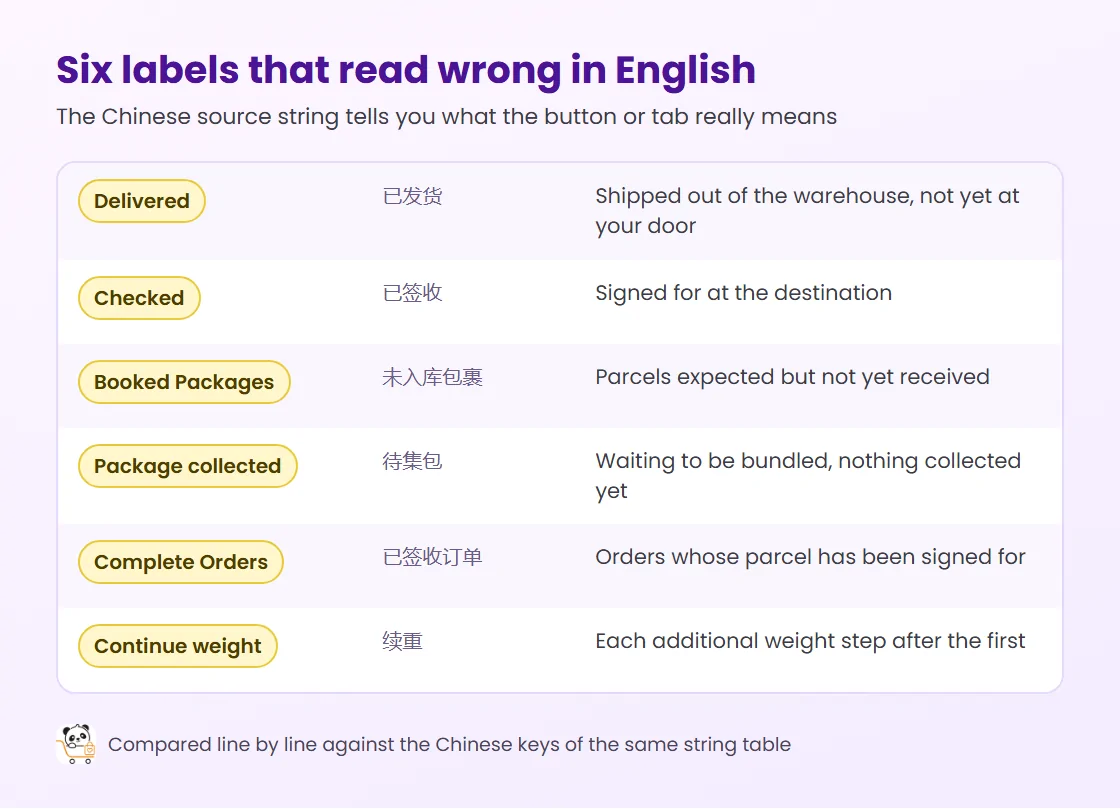
This glossary of odd labels matters most at the end of the route. Someone who sees "Delivered" and an empty doorstep can easily open a missing-parcel complaint that support has to unpick. Read it as "shipped" and wait for tracking.
Where in the account each label appears
The account menu shown in the official video has five entries: Dashboard, Orders, Warehouse, Parcels and Wallet. Ordering labels live under Orders, arrival and photo labels under Warehouse, packing and postage labels under Parcels, and refunds land in the Wallet balance. An order number starts with DG (the video's example is DG100033), and you should quote it whenever you write to support.
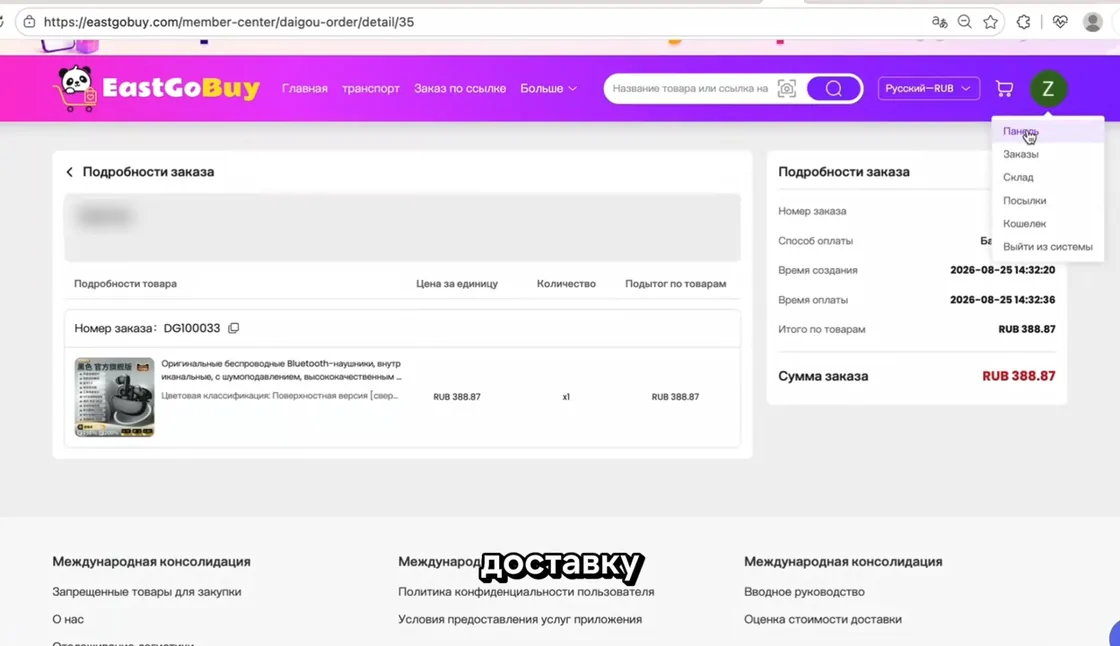
The interface also shows labels that are not statuses but list headings and buttons. "Unpaid Orders", "Pending orders", "Shipped Orders" and "Complete Orders" are tabs that collect orders by status. "Apply for after-sales service" and "Pay the difference immediately" are buttons. We include the ones that change what you should do.
How these readings were made
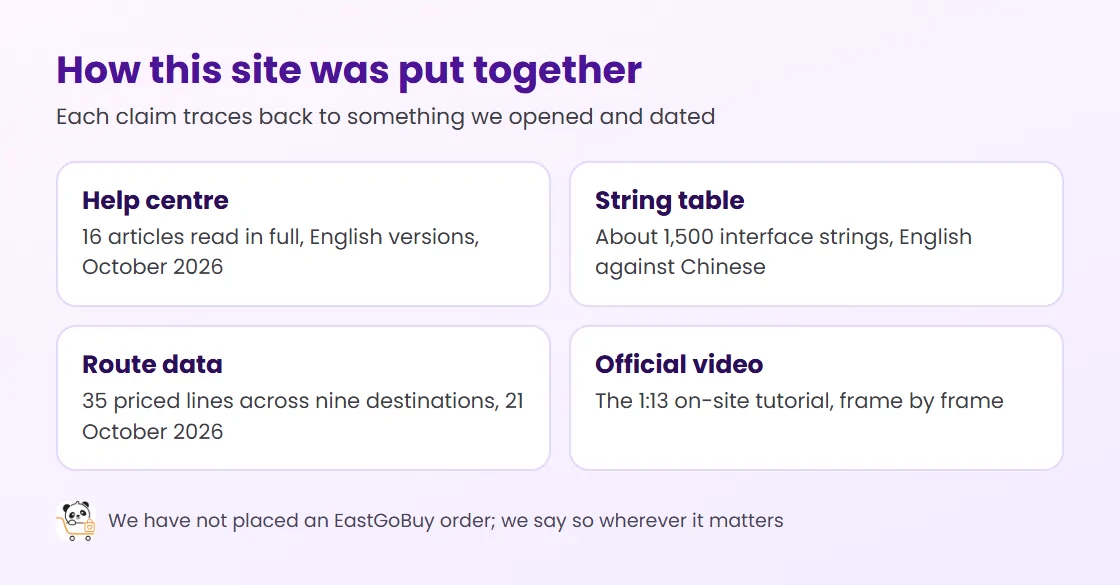
We have not placed an EastGoBuy order, so we cannot show you every screen with a real parcel on it. What we did instead: load the full English string table the site uses (it arrives with the page, no login needed), match every status-like entry to its Chinese key, and check each one against the help centre, the terms and the 73-second tutorial video. Where a reading is our inference rather than something EastGoBuy states, the stage page says so.
If you see a label that is missing here, or one that behaves differently on your account, write to [email protected] with a screenshot. Fixes to the board are logged with a date on the updates page.