
Home / Status board / Ordering
From checkout to the seller's dispatch
The first stage of an EastGoBuy order: what you pay, the review before purchase, and the labels you see until the seller hands your goods to a courier.
Labels you meet before the warehouse
From the moment you submit an order until the seller ships it, the order passes through up to nine labels. Most only ask you to wait; two need you to act, and one is the last comfortable point to cancel.
- To be paidSource string: 待支付
The order exists in your account but no money has moved. Nothing has been bought from the seller.
Your movePay the first payment (goods plus any delivery inside China), or cancel. Cancelling here costs nothing because nothing was purchased.
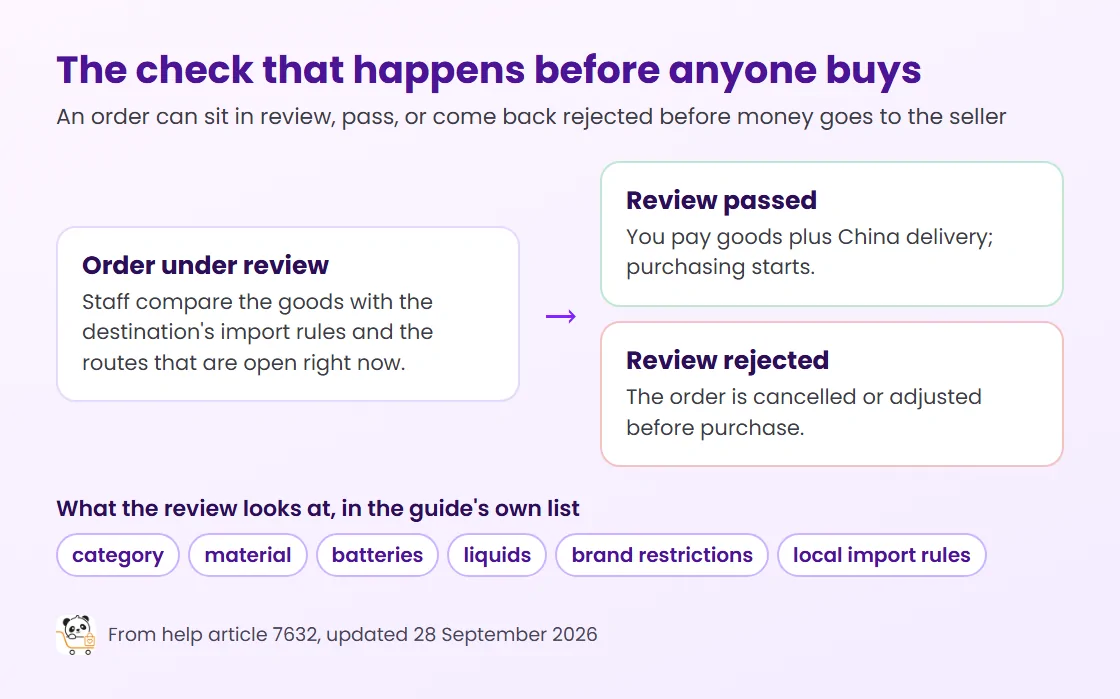
- Order under reviewSource string: 订单审核中
Staff are checking the goods against the import rules of your country and the routes open at the moment.
WaitLeave it alone. If a message asks about a battery, a liquid or a brand, answer it the same day so the order is not held.
- Review rejectedSource string: 审核拒绝
The goods failed that check. EastGoBuy says it cancels or adjusts such orders before buying anything.
Your moveRead the reason given, then swap the option or pick a different listing. Do not resubmit the same link unchanged.
- To be purchasedSource string: 待采购
Paid and passed review, now queued for a purchaser to place the order with the seller.
WaitNothing to do yet. This is the last calm moment to cancel cleanly if you change your mind.
- In procurementSource string: 采购中
A purchaser is placing your order with the seller on Taobao, 1688 or another marketplace.
WaitAvoid cancelling now. The disclaimer warns that once purchasing starts, a full refund may not be possible.
- Pending Additional PaymentSource string: 待补款
The real cost came out higher than what you paid, usually because the seller changed the price or added delivery.
Your moveCompare the new figure with the listing. Pay the difference to continue, or ask support to cancel the line.
- Purchase completed, waiting for product shipmentSource string: 采购完成,等待商品发货
The seller has your order and money but has not handed the parcel to a courier.
WaitCheck the listing for a promised dispatch time. If it is long overdue, ask support to chase the seller.
- The seller has shipped the goods.Source string: 商家已发货
A domestic courier inside China is carrying the parcel to the EastGoBuy warehouse.
WaitWait for the arrival scan. How long the domestic leg takes depends on the seller's courier, not on EastGoBuy.
- CancelledSource string: 已取消
The order line is closed and will not be bought, or was stopped after purchase.
CheckLook for the money in your Wallet balance, one US dollar lighter per refund you asked for.
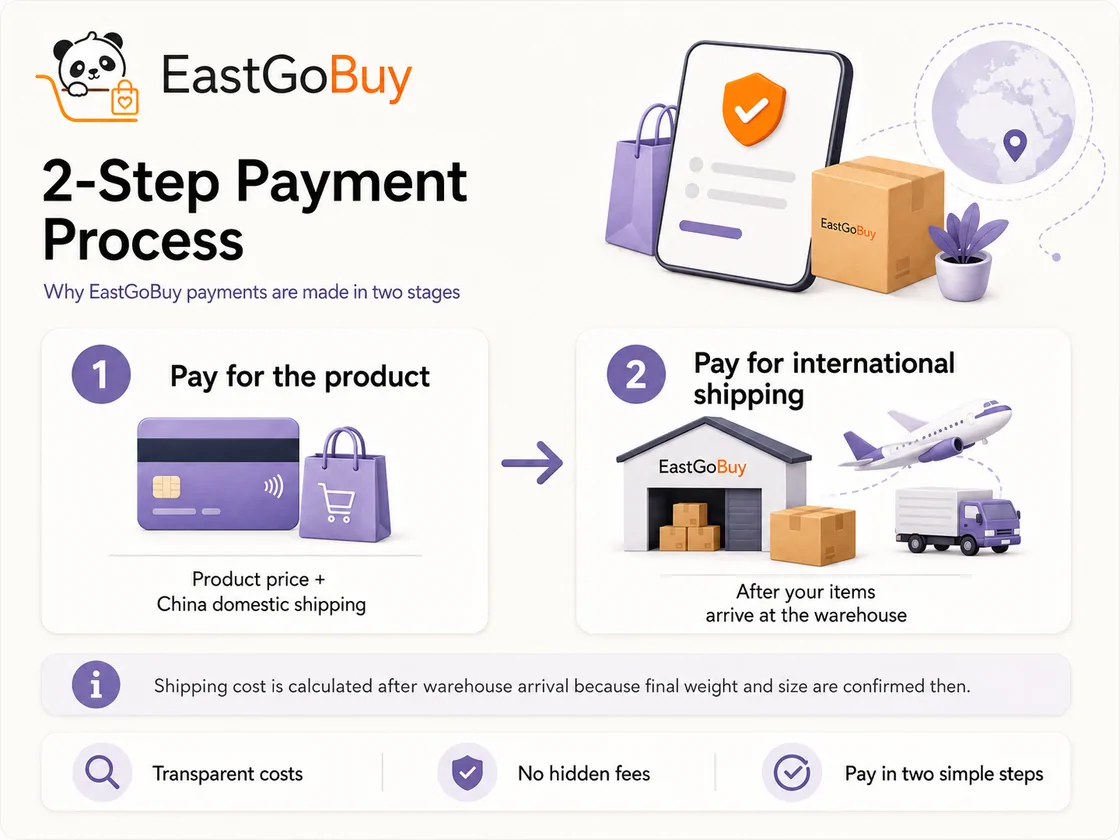
Goods plus China delivery, nothing more
EastGoBuy splits every order into two payments, and the guide is clear about why: nobody knows the final weight and box size until the goods reach the warehouse, so postage cannot be priced at checkout. The first payment is therefore the goods plus any delivery inside China. International postage is never in it.
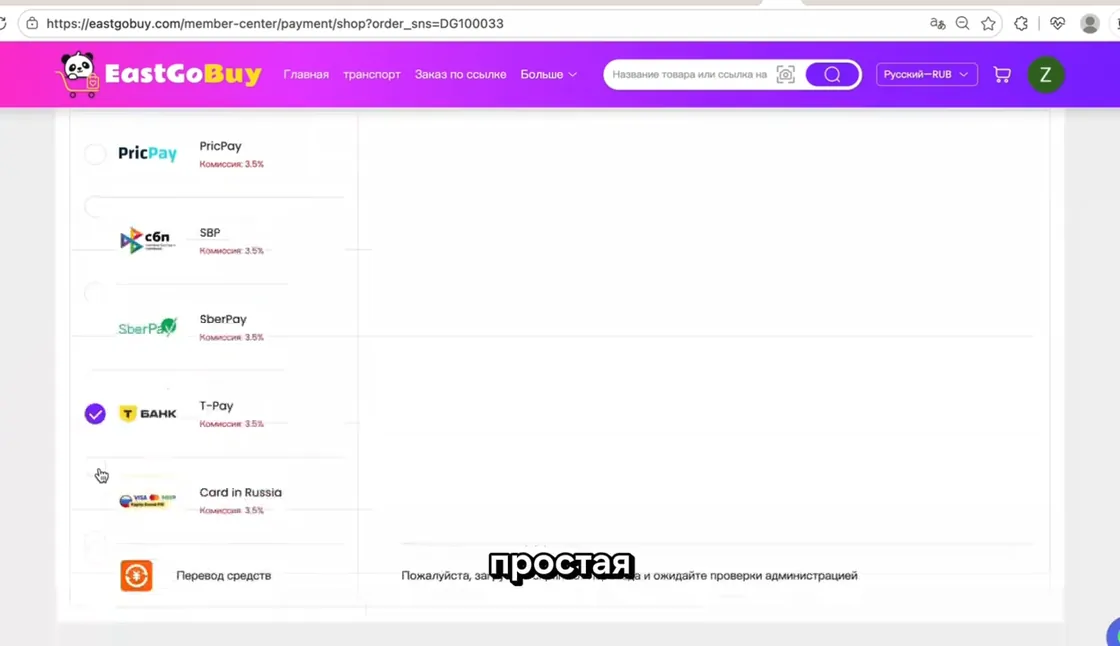
One detail from the official video: on the confirmation screen the line for the purchasing service read 0 for that order, and the English string table says service fees are not charged during purchase but when the shipment is combined. So the first payment can look cheaper than the order really is. The shipping page shows where the remaining costs land, and the exchange rate the site used on 21 October 2026.
Bubble wrap to vacuum bags: ten priced add-ons
The order confirmation in the official video lists ten optional services under the item. They were priced in roubles because the account was set to RUB:
| Service (translated from the Russian screen) | Price shown |
|---|---|
| Custom photography | RUB 39.15 |
| Inspection and inventory of the goods | RUB 39.15 |
| Bubble wrap | RUB 39.15 |
| Stretch film | RUB 65.25 |
| Cardboard corners and strips | RUB 65.25 |
| Moisture-proof bags | RUB 65.25 |
| Fast purchase | RUB 65.25 |
| Vacuum compression bags | RUB 195.74 |
| Remove packaging | free |
| Remove shoe box | free |
The three distinct amounts divide evenly into 3, 5 and 15 yuan at a single rouble rate, which suggests the extras are priced in yuan and converted for display. The video was recorded in late August 2026 (the order in it is time-stamped 25 August), so treat these as a dated snapshot and read the current figures on your own confirmation screen.
Worth paying for on a first order: inspection, if the item has sizes or colours that are easy to mix up. Usually not worth it: vacuum bags for a single T-shirt. Free and often sensible: removing the shoe box, which cuts both weight and box size.
Changing your mind at this stage
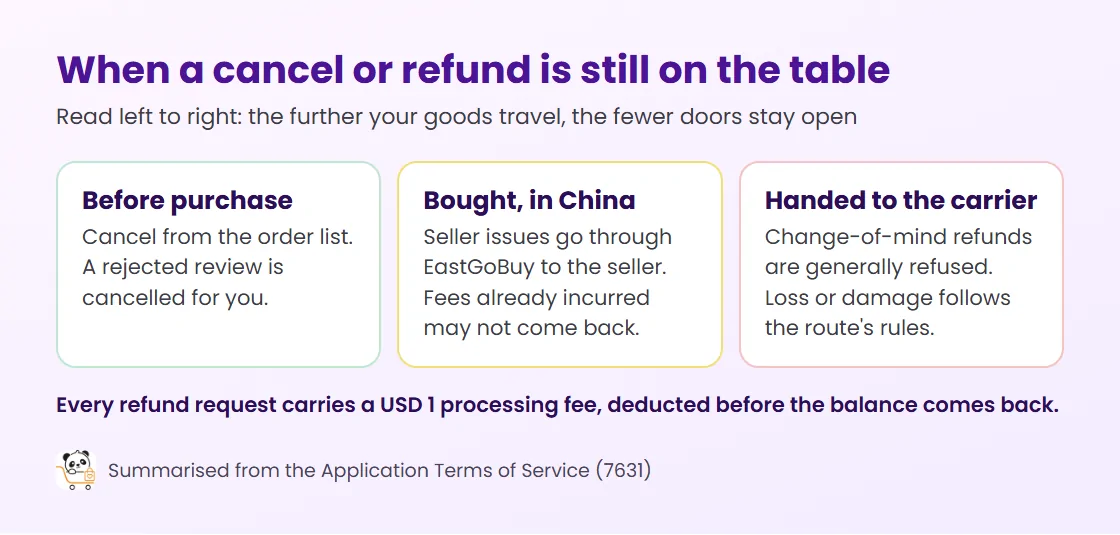
Cancelling is simplest while the order is still To be paid or To be purchased, because nothing has been bought. Once it reads In procurement, the procurement disclaimer warns that cancellation or a full refund may not be possible, since the purchaser may already have paid the seller. If a refund does go through, one US dollar is withheld from each refund you ask for, and bank or conversion charges may be taken as well.
A common plan that backfires: ordering two sizes "just in case", planning to cancel one later. By the time you know which size you want, both are usually bought. Order the size you need, and ask the seller a question first if the size chart is unclear.
DIY Orders, for listings EastGoBuy cannot read
For listings EastGoBuy cannot read automatically, the DIY Orders page wants four things (where the listing lives, what it is called, which specification you need, and a picture) and has room for a note about special requests. Across the top runs a three-part progress bar. It starts at "Submit Product Information", ends at "Waiting for Seller to Ship", and in between sits a payment step labelled "Pay for Products and Shipping". After that the order joins the same label sequence as any other.
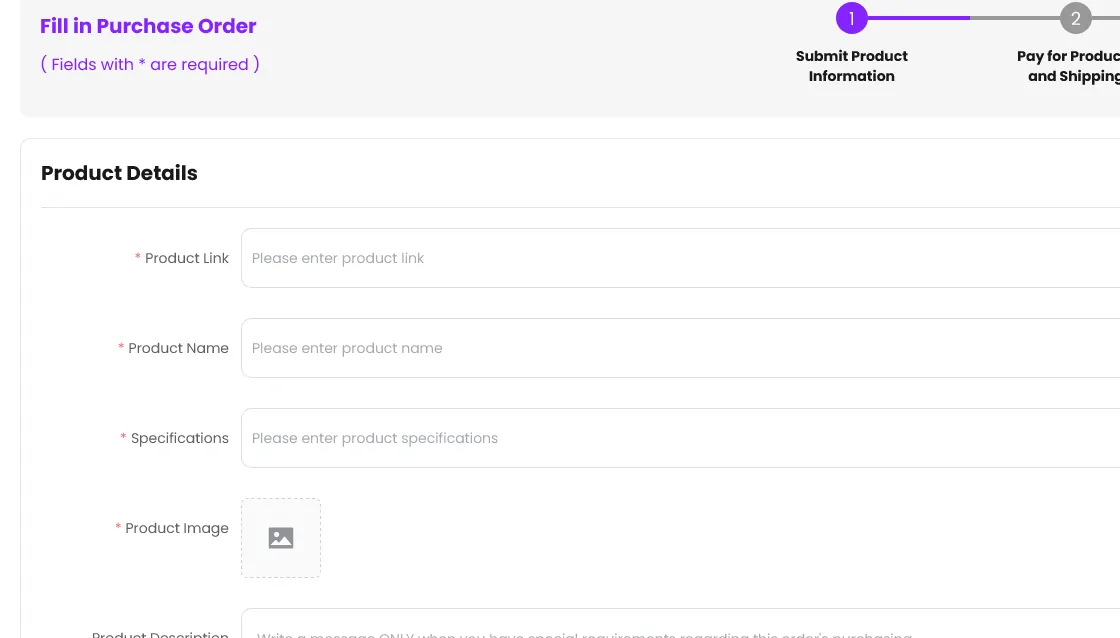
Be precise in the specification field. Write the exact option text as the seller shows it (copy the Chinese if there is any) rather than "black, medium". The purchaser matches your words against the seller's menu, and the inspection later checks against what you wrote.